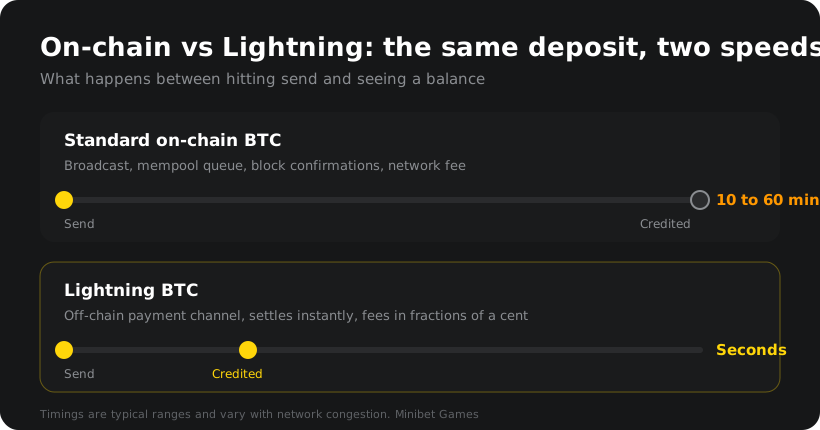
A Lightning deposit is a Bitcoin payment that settles off-chain, through the Lightning Network, instead of waiting in line for space in a block. In practice that means your money moves in seconds rather than minutes, and the fee is usually a fraction of a cent. Same Bitcoin, same wallet, different road. If you have ever sat refreshing a cashier page waiting for confirmations while a tournament clock ran down, this is the fix.
Here is how it works, how to do it, and what separates a wallet that makes this painless from one that makes you fight it.
Nobody picks a payment method for fun. You pick it because you want to be playing, and every minute between deciding and doing is friction.
On-chain Bitcoin was never built for a $10 deposit. It was built to settle value with finality: brilliant for moving serious money, mildly annoying for topping up a balance on a Saturday night. When the network is busy, small transactions sit in the mempool while higher-fee ones get picked up first. You are not doing anything wrong, you are just in a queue.
Lightning sidesteps the queue. Rather than writing every payment to the blockchain, it moves balances along pre-funded payment channels and settles the net result on-chain later. The upshot: instant credit, tiny fees, no confirmation counter to stare at.
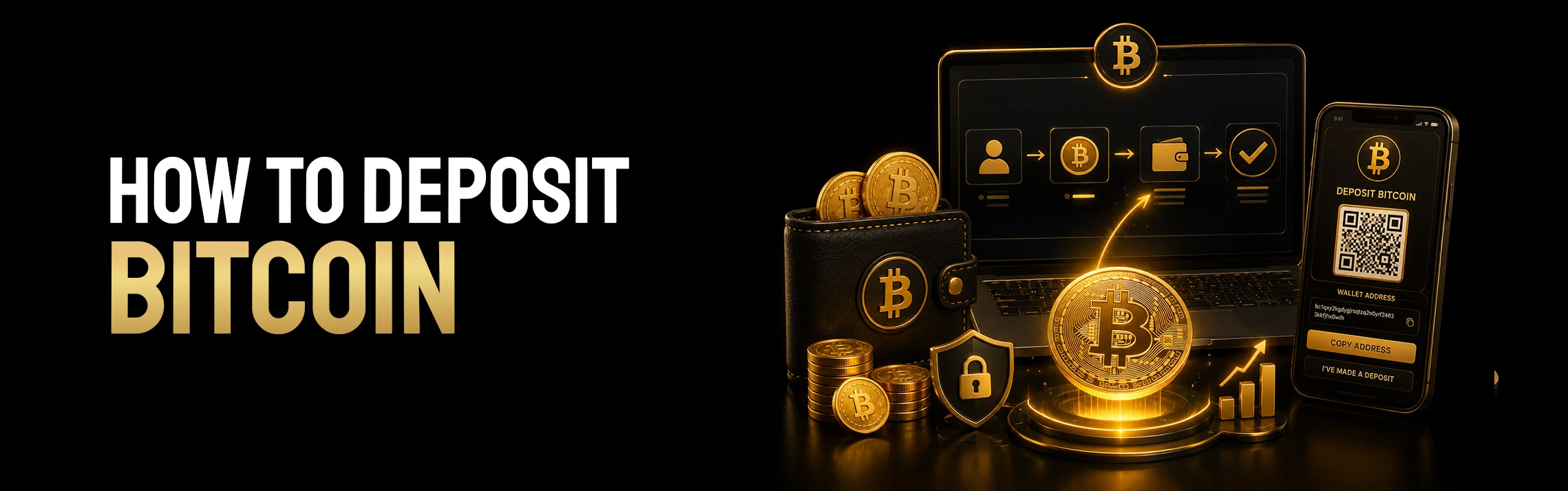
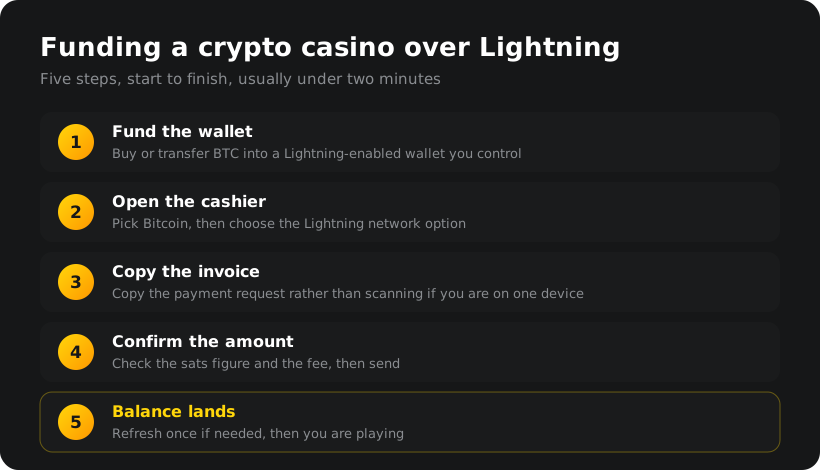
Five steps, and after the first time it takes under two minutes.
1. Get BTC into a Lightning-enabled wallet. Not every Bitcoin wallet supports Lightning. Buy in-app if your wallet allows it, or transfer BTC from an exchange. That first transfer is on-chain and takes its usual time, so do it before you actually want to play.
2. Open the cashier and select Bitcoin. Most crypto casinos then ask which network you want to use. Choose Lightning. Some sites label it BTC-LN, some just say Lightning.
3. Copy the invoice, do not fight the QR code. The site generates a Lightning invoice, a long string starting with lnbc, usually shown as a QR code too. On desktop paying from your phone, scan it. On a phone doing both, copy the string and paste it into your wallet. Scanning your own screen is a small, avoidable misery.
4. Check the amount and send. Invoices are normally amount-locked, so the figure is already filled in. Confirm the sats total, glance at the fee, send.
5. Watch the balance land. It appears near-instantly. Refresh once if the cashier is slow to update.
Once you deposit regularly, wallet choice stops being trivial. Four things separate the good ones:
Native Lightning support, not bolted on. Sending and receiving should be a first-class feature, not buried three menus deep. Instant receiving too. Deposits are only half the loop. A wallet that receives as fast as it sends means winnings land as quickly as your stake did. Fee transparency. See the routing fee before you confirm, not after. A sane way to top up. Buying BTC inside the wallet removes a whole step.
Speed Wallet ticks all four. It is Lightning-native, handles both directions in seconds, and lets you buy Bitcoin in-app, which is why plenty of players use it as an everyday balance rather than parking funds on an exchange.
Minibet is crypto-native by design. No card processor in the middle, no bank deciding whether your deposit looks suspicious, and no KYC needed to start playing. Speed Wallet slots into that neatly: pick Bitcoin in the cashier, choose Lightning, pay the invoice from Speed, and you are in.
Worth knowing: Speed is running a cashback offer of its own. Deposit $5 or more in BTC to Minibet through Speed Wallet with promo code MINIBET10P (on Speed Wallet) and you get sats back on your Speed Wallet, up to $100. Speed Wallet credits that cashback on their side under their terms, so download the app on Android or Apple to check more details.
Once funded, the reason to be here is the competition. Every week Minibet runs four parallel circuits across Crash, Slots, Live Casino and Fishing, with prize pools paid in MBUSD. Fast deposits matter most when a leaderboard is live and you want your stake working now rather than in forty minutes.
New to the format? Start with crypto casino tournaments for the mechanics, or go straight to the current casino tournaments and see what is running. Ongoing offers sit on the promotions page, and if the whole crypto side is new to you, what a crypto casino is covers the basics first.
Is a Lightning deposit different from a normal Bitcoin deposit? Same Bitcoin, different road. A normal deposit is written to the blockchain and waits for confirmations. A Lightning deposit travels through off-chain channels, settles in seconds, and nets out on-chain later.
Do I need a special wallet for Lightning? Yes. Plenty of well-known Bitcoin wallets are on-chain only, so check before you fund one. Speed Wallet is one of the Lightning-native options.
Are Lightning fees really that low? Routing fees are typically a fraction of a cent, because you are not competing for block space. Your wallet shows the fee before you confirm.
What is the smallest amount I can deposit? Lightning handles tiny payments comfortably, down to a few hundred sats. The practical floor is whatever minimum the casino sets, and at Minibet a $5 deposit is a normal starting point.
Can I withdraw over Lightning too? Where the site supports it, yes, and that is the real advantage. Generate an invoice in your wallet, paste it into the withdrawal form, and the funds arrive in seconds.
What if my deposit does not show up? Lightning payments succeed or fail cleanly, so a failed one usually returns to your wallet within minutes rather than getting stuck. If your wallet shows it as sent and the balance has not moved, refresh the cashier, then contact support with the payment hash.
*18+ | Please gamble responsibly.
Gambling should be fun. If it stops feeling that way, help is available. Visit BeGambleAware.org or call the National Gambling Helpline on 0808 8020 133 for free, confidential support.*
This content is for informational purposes only. Betting involves financial risk. Please play responsibly.